

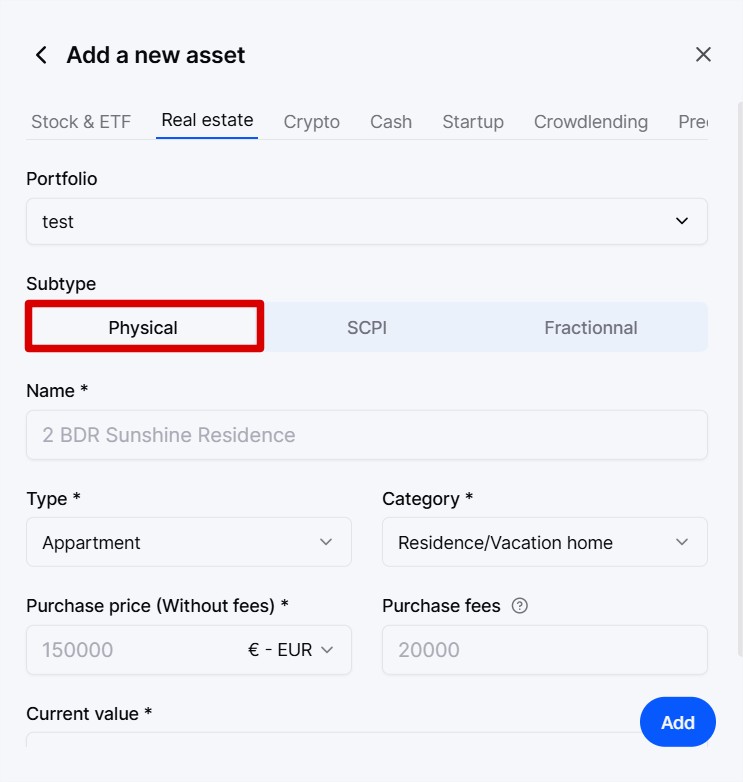
In the asset addition window, go to the “Real Estate” section.
Then select the subclass “Physical”.
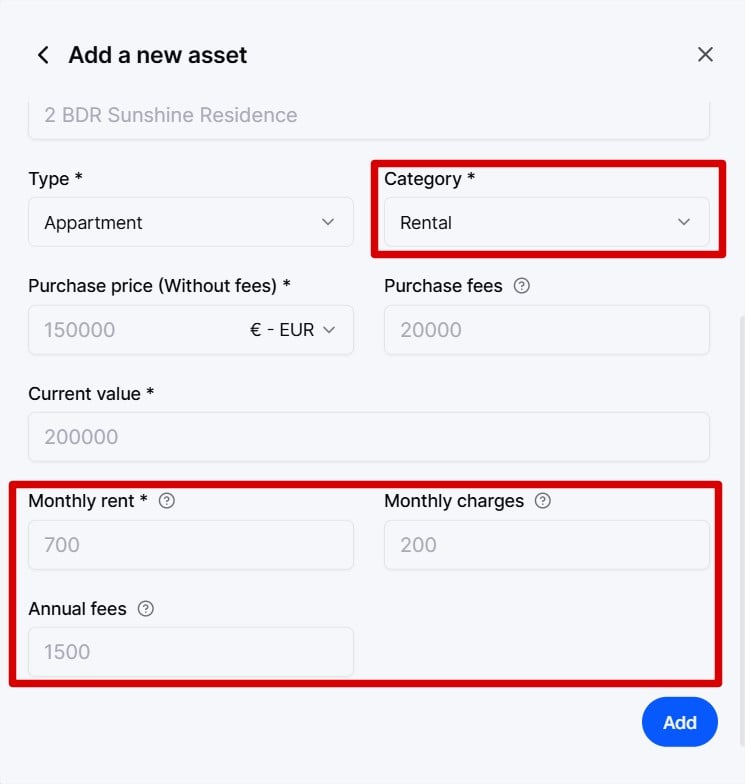
In the “Category” field, select “Rental”.
New fields appear, including the monthly rent (to be indicated gross and including charges), the monthly charges, and the annual fees.
We use the monthly charges and annual fees to determine your net income generated by this property.
Then click on “Add”